How to manage campaigns, ad sets and ads
Updated:
⚡ In short
- Learn what you can do in the Campaigns, Adsets and Ads tabs: tags, start, pause, budget, duplicating, archiving.
- Get to grips with filters, column setup and search.
- Understand what campaign, adset and ad statuses mean.
ℹ️ Plan
Not available on Light and Start: “Delete in FB”, “Edit ad set parameters”, “Bulk edit ads” and “Change fan page”. Light also has no “Manage auto rules” and “Request ad review”. The ad info card (click on the name) and comment counters are available only on Pro.
Auto rules on campaigns: How to apply auto rules to campaigns in Dolphin {Cloud}.
🗂️ About the tabs
These Dolphin {Cloud} tabs show all data on your ad campaigns, adsets and ads: both those created in our software and those created in Facebook itself.
They also offer handy features for working with them. Let's look at each tab and its features separately.
📣 Campaigns
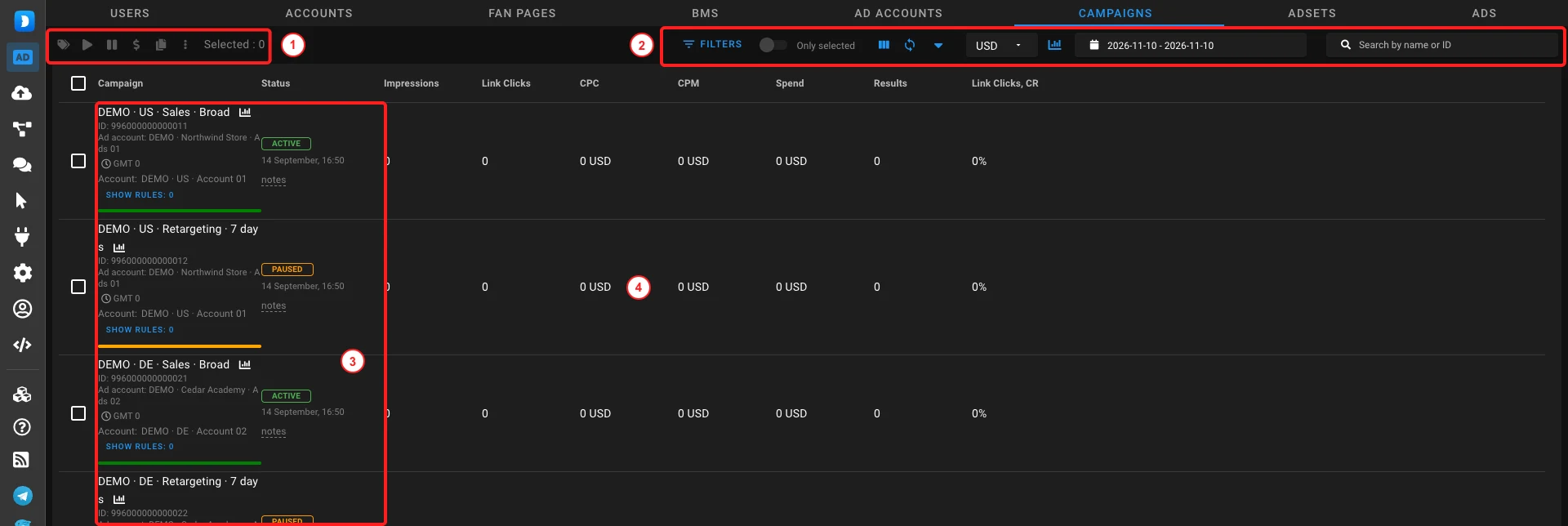
⚙️ 1. Main campaign features
- Tags: add a campaign tag to easily sort campaigns later, or add a tag to the account “no-updates”: no data update requests will be made.
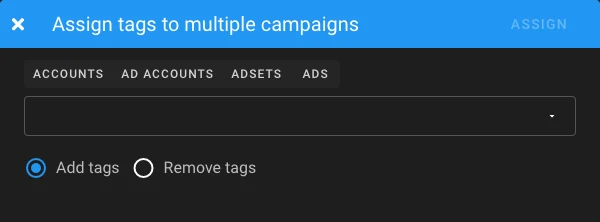
- Start: starts the ad campaign. For example, during the launch you set the campaign to pause after review so you can start it whenever it suits you.
- Pause: pauses the selected campaign.
- Duplicate: duplicates the selected campaign.
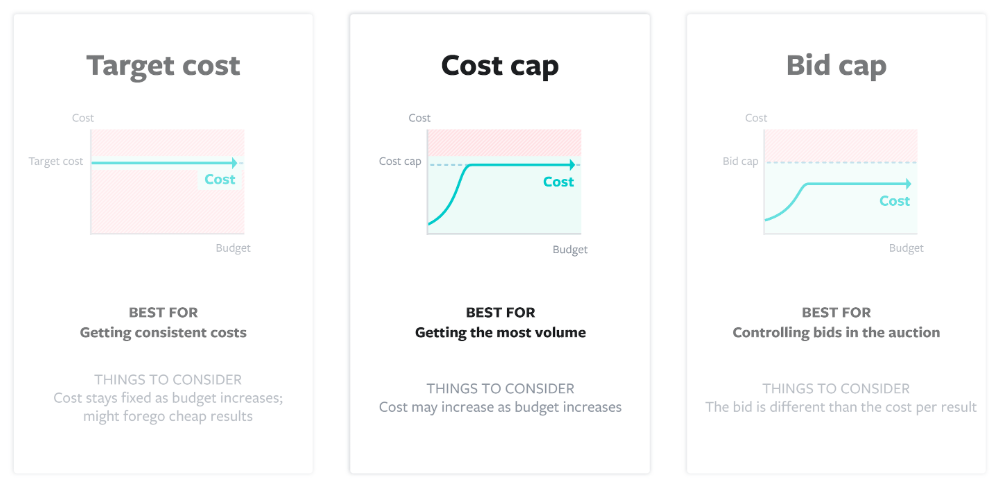
- Budget and bid: lets you change the daily budget or set a new bid strategy.
💸 Bid strategy
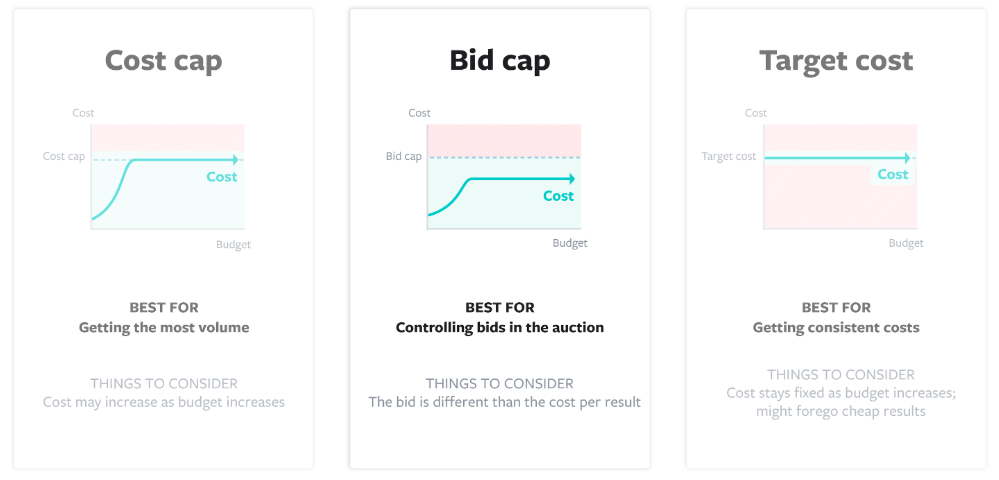
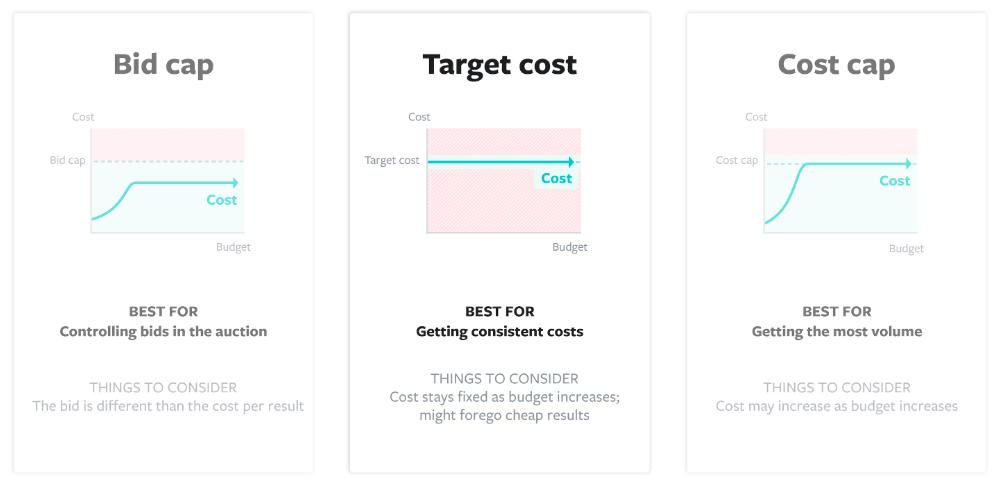
⋯ 3 dots
- Rename in FB: rename the campaign in FB itself.
- Delete from FB: deletes the campaign from FB and from our software.
- Archive: quickly and easily hide campaigns you don't need or rarely use. Once you click it, they disappear from the main list but are not deleted!
⚠️ Warning
Stats will still be counted at the “Ad accounts” level, but will no longer be counted at the “Adsets” and “Ads” levels.
Unarchive: you can just as easily bring your campaigns back to the visible list.
- Go to “Filters”.
- Select “Show archived campaigns”.
- Tick the campaigns you need.
- Click “Unarchive” in the menu, and they are back!
🧭 2. Extra features for easier sorting

| Setting | What it does |
|---|---|
| The Only selected toggle | Keeps only the selected ad accounts in the tab. |
| Filters | Lets you sort campaigns by account tag. |
| Setup columns | Here you choose which metrics to display in the stats (we have 166 options). |
| Data update from FB | You can also set up automatic updates. |
| Currency for displaying stats | The currency the stats are shown in. |
| Sorting stats by date | Helps you navigate by dates and track metrics more accurately. |
| Search by name or ID | Search by name or ID. |
🚦 3. Campaign information
Most data is clear to any user. A common question is about Statuses.
| Status | What it means |
|---|---|
| ACTIVE | The campaign is fine. |
| UNSETTLED | The ad account has an unpaid current bill, or the account went through a risk payment (card verification). In the 1st case, the status clears once you pay the debt. In the 2nd case, it disappears after the stats update and changes to the current status of the ad account. |
| PAUSED | The campaign is paused. |
| TOKEN_ERROR | Check the FB token. See how to renew the token in the Accounts tab. If this error is present, it shows on all tabs. |
| BAN | There are plenty of reasons for ad bans, and you know them all, so we won't dwell on them. |
| DELETED | Deleted in FB. |
📊 4. Stats
This shows the metrics available in Facebook or selected in the column setup.
ℹ️ Good to know
If the metric you need is missing and Facebook doesn't have it either, we can't show it. Learn more about stats issues and working with stats.
🎯 Adsets
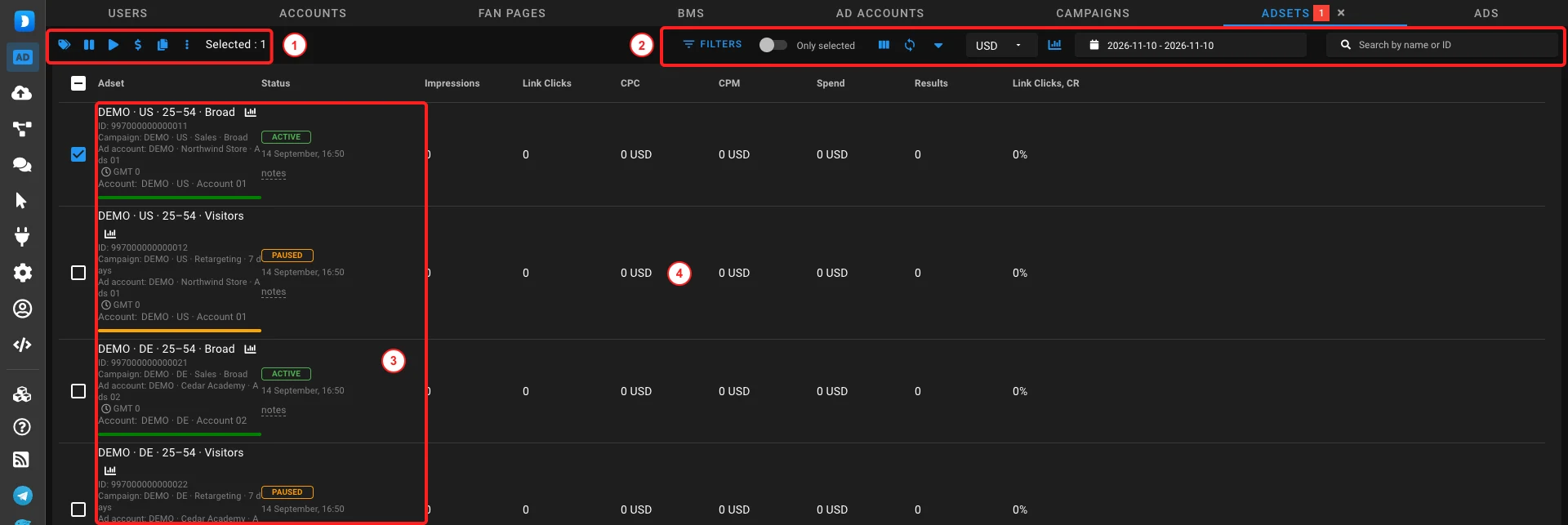
⚙️ 1. Main adset features
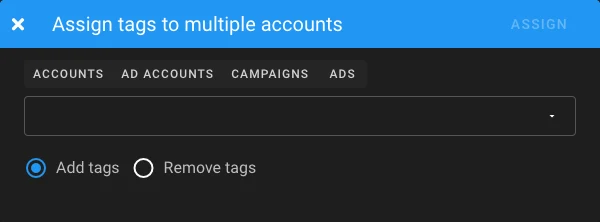
- Tags: add an adset tag to easily sort adsets later, or add the “no-updates” tag to the account: no data update requests will be made.
- Start: starts the Adset. For example, during the launch you set the campaign to pause after review so you can start a specific Adset in it whenever it suits you.
- Pause: pauses the selected Adset.
- Budget and bid: the same as in campaigns.
- Duplicate: makes a copy of your Adset and sends it for review.
⋯ 3 dots
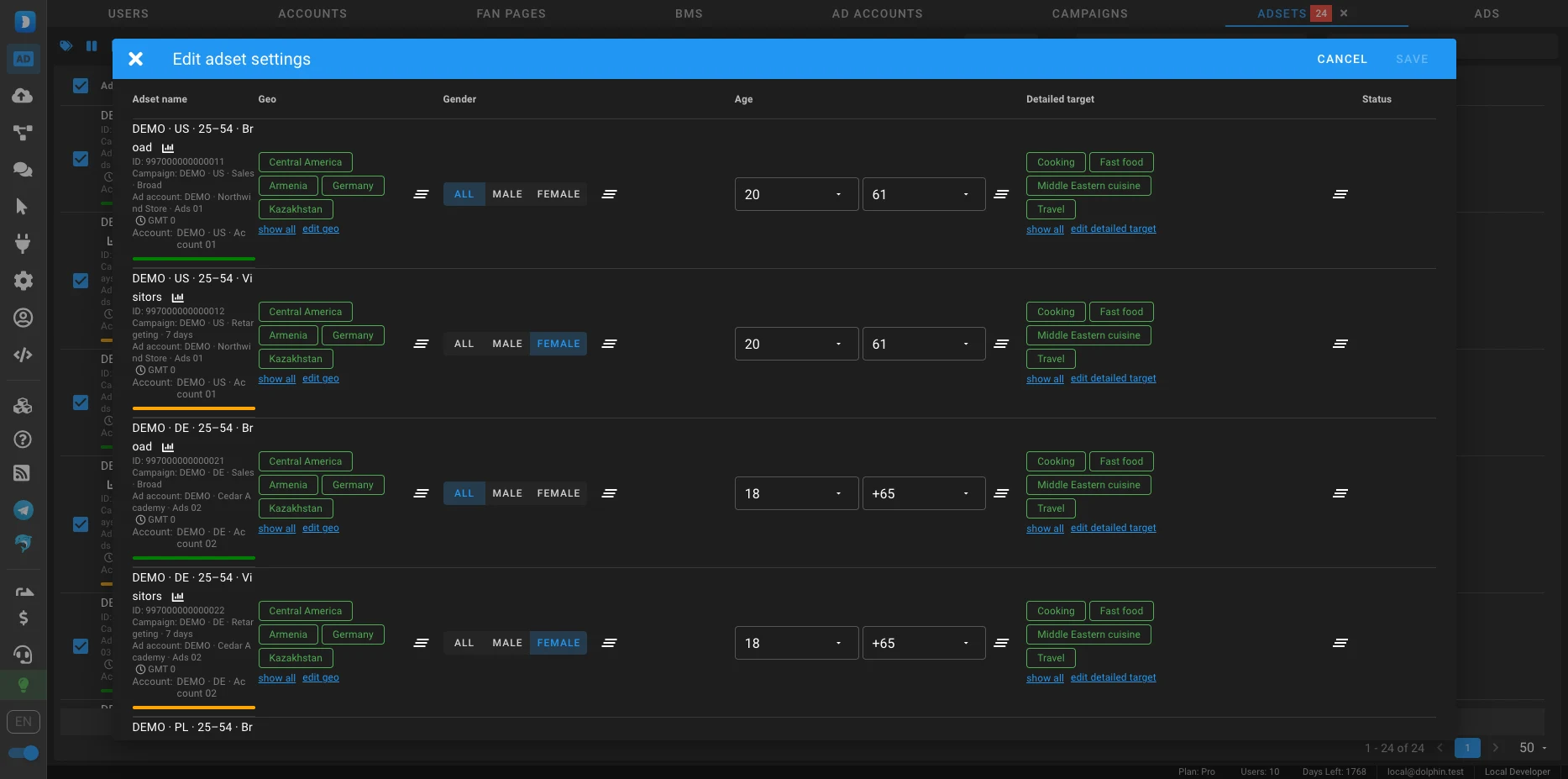
- Edit adset parameters: no need to open FB or relaunch the bundle with new parameters. You can easily change GEO, gender, age, demographics, interests and behaviors right in Dolphin{server}. Before making changes, you can also see the adset's current settings.
- Archive: quickly and easily hide campaigns you don't need or rarely use. Once you click it, they disappear from the main list but are not deleted!
⚠️ Warning
Stats will still be counted at the “Ad accounts” level, but will no longer be counted at the “Adsets” and “Ads” levels.
Unarchive: you can just as easily bring your campaigns back to the visible list.
- Go to “Filters”.
- Select “Show archived ad sets”.
- Tick the campaigns you need.
- Click “Unarchive” in the menu, and they are back!
⚠️ Delete Adset from FB
For now, our software can only delete a campaign. If this adset clutters your view, tag the adsets that should be shown and filter your working adsets by that tag.
🧭 2. Extra features for easier sorting
The same as in campaigns.
🚦 3. Adset information
Most data is clear to any user. A common question is about Statuses.
| Status | What it means |
|---|---|
| ACTIVE | The adset is fine. |
| PAUSED | The adset is paused. |
| UNSETTLED | The ad account has an unpaid current bill, or the account went through a risk payment (card verification). In the 1st case, the status clears once you pay the debt. In the 2nd case, it disappears after the stats update and changes to the current status of the ad account. |
| WITH_ISSUES | This status relates to ads, and you can try to fix it there. |
| CAMPAIGN_PAUSED | The campaign is paused. |
| TOKEN_ERROR | Check the FB token. See how to renew the token in the Accounts tab. If this error is present, it shows on all tabs. |
| BAN | There are plenty of reasons for ad bans, and you know them all, so we won't dwell on them. |
| DELETED | Deleted in FB. |
📊 4. Stats
The same as in campaigns.
🖼️ Ads

⚙️ 1. Main ad features
- Tags: add an ad tag to easily sort ads later, or add the “no-updates” tag to the account: no data update requests will be made.
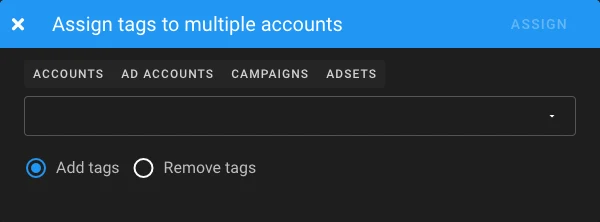
- Start: starts the Ad. For example, during the launch you set the campaign to pause after review so you can start a specific Ad in it whenever it suits you.
- Pause: pauses the selected Ad.
- Duplicate: makes a copy of your Ad and sends it for review.
⋯ 3 dots
- Rename in FB: rename the ad in FB itself.
- Change Fan Page: lets you change the FP and moves the ad to the PENDING_REVIEW status.
- Request review ads
⚠️ Delete Ads from FB
For now, our software can only delete a campaign. If this ad clutters your view, tag the ads that should be shown and filter your working ads by that tag.
🧭 2. Extra features for easier sorting
The same as in campaigns.
🔎 3. Ad information
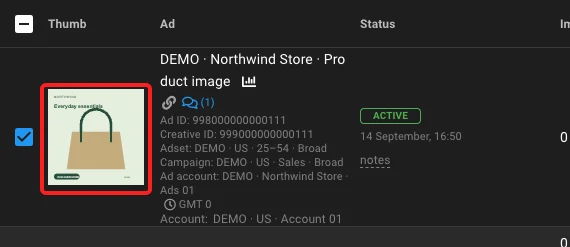
- Clickable creative preview: click it to see the creative itself and also:
- change the creative;
- see or change the ad text, headline and description;
- see or change the call to action;
- copy or change the link.
- Icons: for example, clicking the Facebook icon takes you to the Facebook page with your ad.
- Comments of ad icon: shows the comments on a specific post. To learn how to set up automatic comment deletion and work with comments, read here.
🚦 Status
| Status | What it means |
|---|---|
| ACTIVE | The ad is fine. |
| PAUSED | The ad is paused. |
| CAMPAIGN_PAUSED | The campaign is paused. |
| ADSET_PAUSED | The adset is paused. |
| Systems for bypassing restrictions | Ads must not use tactics aimed at bypassing the ad review process or other enforcement systems. For example, technologies that mask the content of the ad or the landing page are prohibited. You can learn more in the policy on circumventing safety systems. ©️ Facebook |
| Circumventing Systems | Ads must not use tactics designed to bypass the ad review process or other enforcement systems. This includes techniques that try to disguise the ad content or the landing page. See the Circumventing Systems policy ©️ Facebook |
| Personal Health and Appearance | This ad won't run because its images put excessive focus on a person's body or body parts (for example, a focus on abs or belly fat). This can make people feel bad about themselves and goes against the goal of building a positive global community. For examples, see the personal health and appearance policy. What to do next: avoid close-up images of specific body parts or "before and after" photos. See the personal health and appearance policy ©️ Facebook |
| Unacceptable business practices | Ads must not promote products, services, schemes or offers that use deceptive or misleading practices, in particular to get people's money or personal information. You can learn more in the policy on unacceptable business practices. ©️ Facebook |
| PENDING_REVIEW | The ad is under review. |
| WITH_ISSUES | Delivery error. You can try changing the FP, which sends the ad back for review (you can set the same FP as before), or request an ad review. If the change didn't happen or an error occurred, turn off the AdBlock extension. |
| UNSETTLED | The ad account has an unpaid current bill, or the account went through a risk payment (card verification). In the 1st case, the status clears once you pay the debt. In the 2nd case, it disappears after the stats update and changes to the current status of the ad account. |
| TOKEN_ERROR | Check the FB token. See how to renew the token in the Accounts tab. If this error is present, it shows on all tabs. |
| DISAPPROVED | Did not pass review. |
| BAN | There are plenty of reasons for ad bans, and you know them all, so we won't dwell on them. |
| DELETED | Deleted in FB. |
📊 4. Stats
The same as in campaigns.
🐬 Campaigns, adsets and ads from all ad accounts in one interface: try Dolphin {Cloud}.