How to upload creatives and distribute them across ad sets
Updated:
⚡ In short
- Creatives are uploaded on the last step of the upload wizard, Creatives.
- Two distribution schemes: All → All (every creative goes into every ad set) and Ad → Adset (X creatives per ad set).
- Add for all uploads files to all ad accounts at once and spreads them in order.
- Ad instances creates copies of each ad, up to 200 ads per ad set.
- Formats: jpg, gif, png, mp4, up to 200 MB per file.
On the Creatives step of the Dolphin {Cloud} upload wizard, you decide which creatives go to which ad sets and ad accounts. Below are both distribution schemes, bulk upload, ad copies, video thumbnails and the switches on the top bar. The whole wizard step by step is covered in How to upload a bundle in Dolphin {Cloud}.
🧭 How the Creatives step works
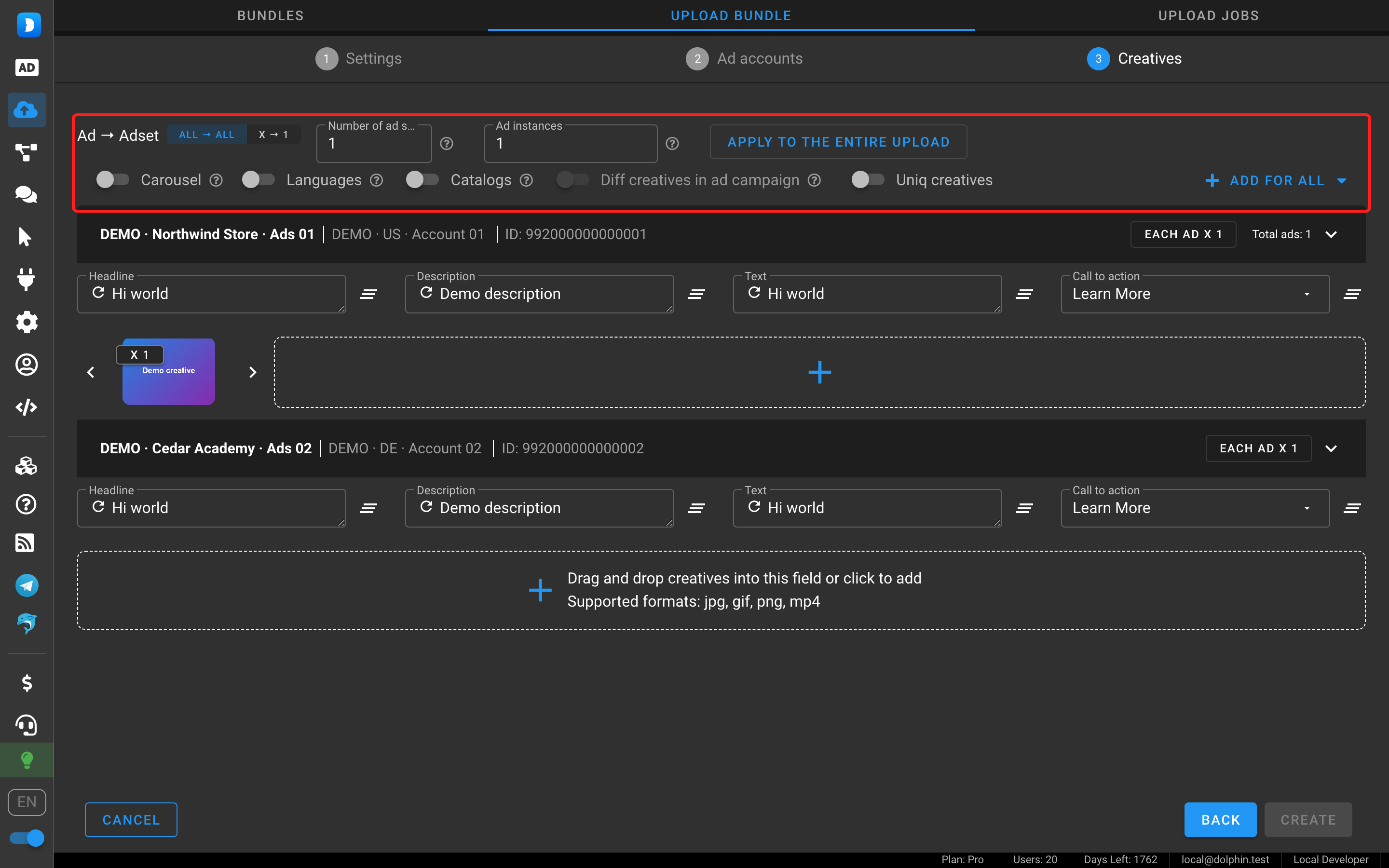
- At the top is the panel: the distribution scheme, the number of ad sets, ad instances and format switches.
- Below is the list of ad accounts. Each ad account has its own ads: a creative, Headline, Description, Text and Call to action. The texts and the button come from the bundle, and you can change them in a specific ad.
- Each ad has Duplicate (In the current ad account or In all ad accounts) and Remove ad from the ad account. The Add ad button adds a new empty ad.
🔀 Distribution schemes
The toggle in the top left corner sets how ads are spread across ad sets. Help on the schemes opens in the About creatives window.
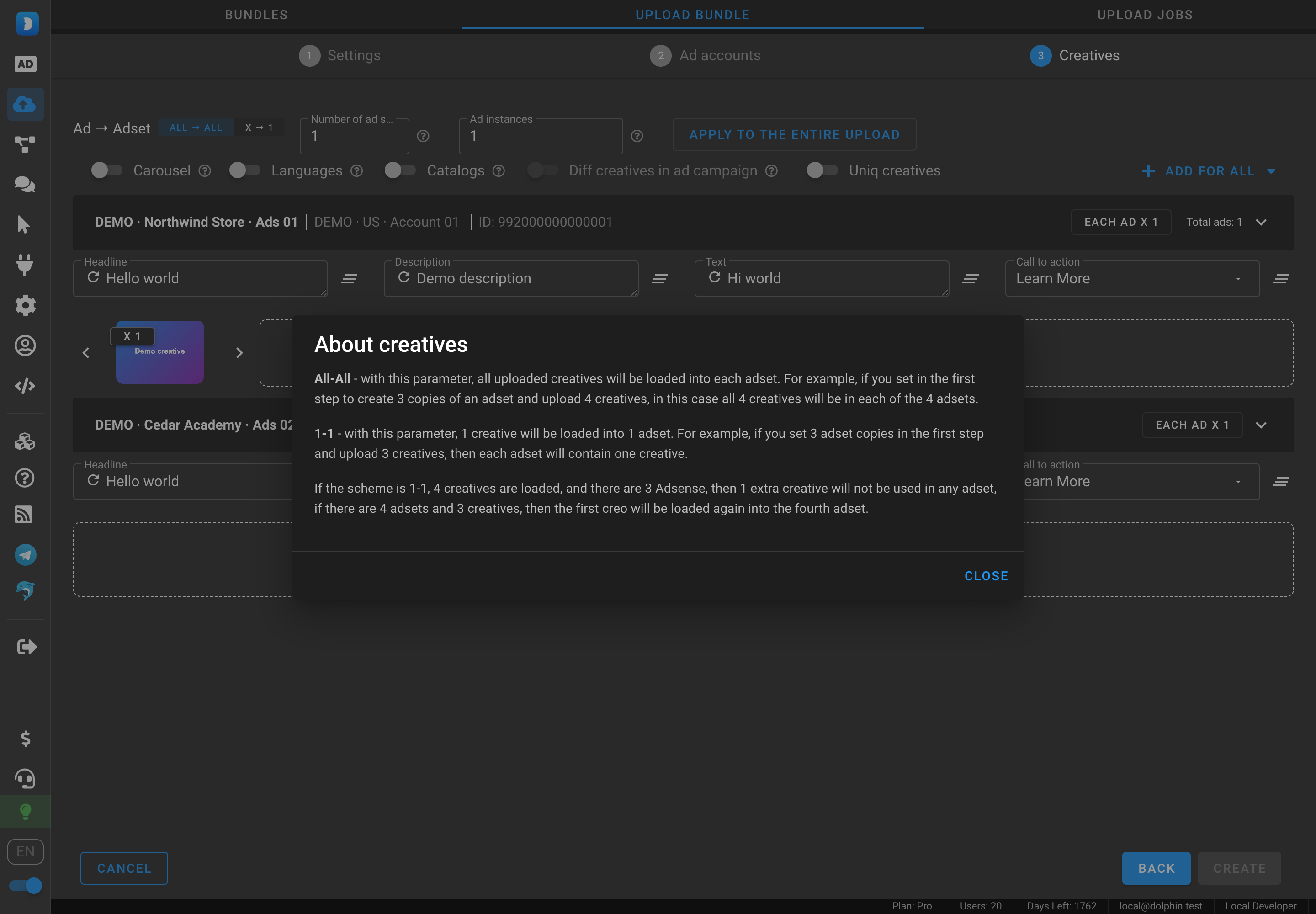
All → All
Every ad of the ad account goes into every ad set. Example: 3 ad sets and 4 creatives, each ad set gets all 4.
Ad → Adset
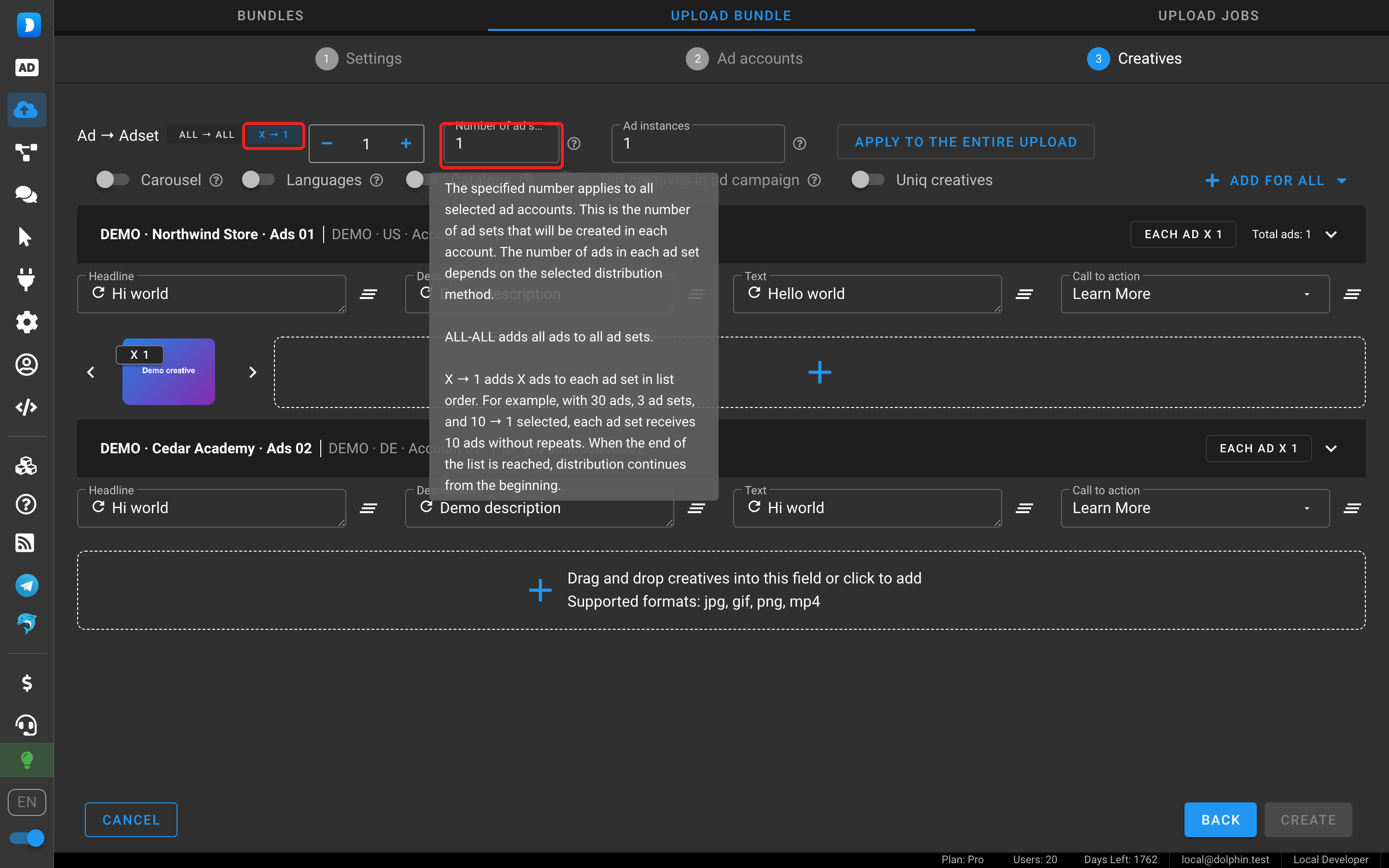
Each ad set gets X ads in list order. X is set next to the toggle, from 1 to 50. The Number of ad sets field sets how many ad sets to create in each ad account.
| Creatives | Ad sets | X | Result |
|---|---|---|---|
| 3 | 3 | 1 | Each ad set gets its own creative |
| 4 | 3 | 1 | The 4th creative goes into no ad set |
| 3 | 4 | 1 | The list starts over: the 4th ad set gets the 1st creative |
| 5 | 2 | 3 | The 1st ad set gets creatives 1, 2, 3, the 2nd gets 4, 5, 1 |
| 30 | 3 | 10 | Each ad set gets 10 creatives with no repeats |
💡 The 1-1 scheme
There is no separate 1-1 button. It is Ad → Adset with X = 1: each ad set gets one creative of its own.
📦 How to upload creatives to all ad accounts at once
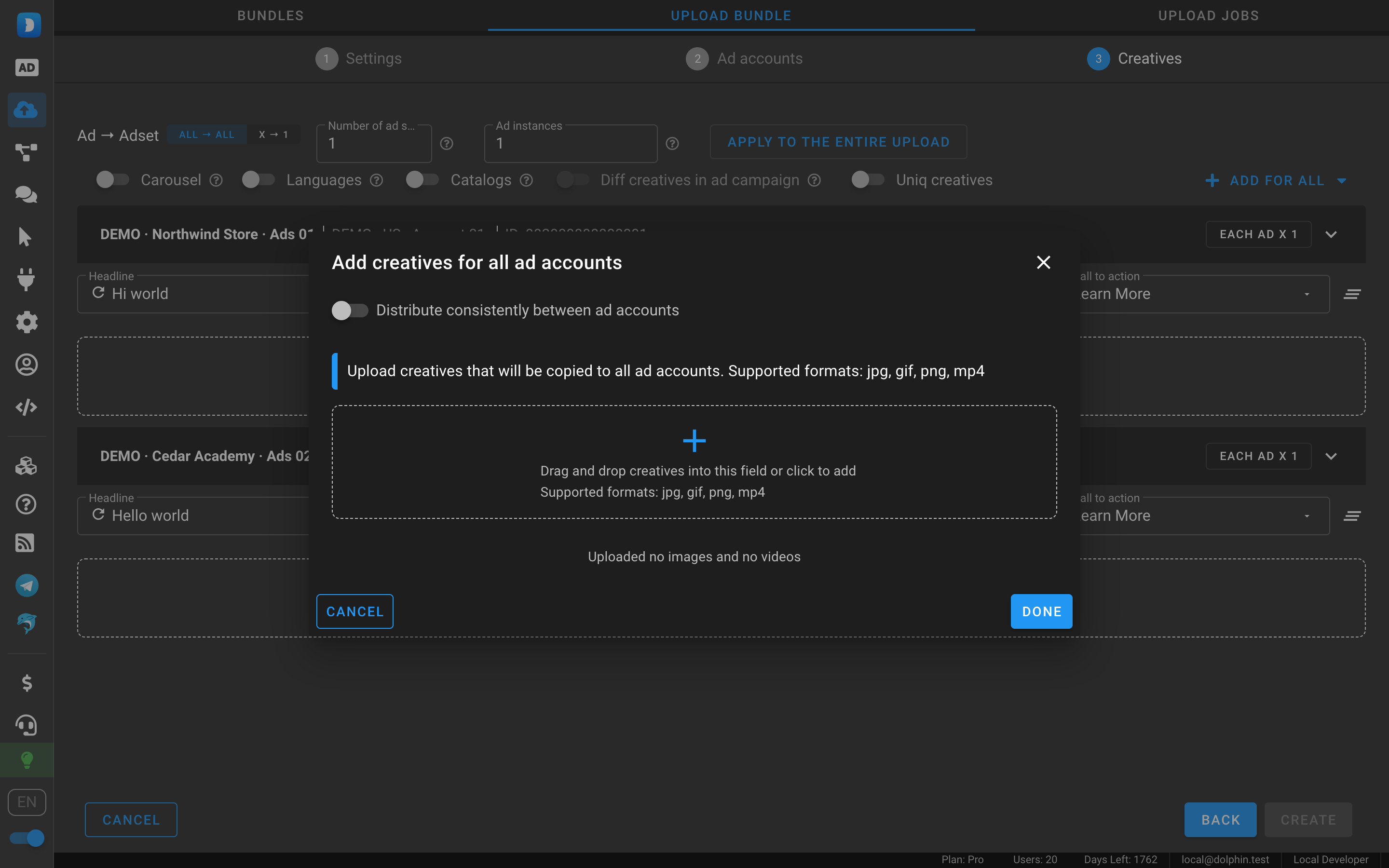
- Click Add for all and choose Media files.
- Drag files into the Add creatives for all ad accounts window or click to choose them. You can pick many files at once.
- To give different ad accounts different creatives, turn on Distribute consistently between ad accounts and set how many creatives each ad account gets.
- Click Done.
| Setting | How it works |
|---|---|
| No distribution | All uploaded creatives are copied to every ad account |
| Distribute consistently between ad accounts | Creatives are handed out in upload order, N per ad account. The same creative never goes to an ad account twice. Example: 10 ad accounts, 100 creatives, 10 each: every ad account gets its own 10 |
| Distribute sequentially between ads | Flex and Carousel only: creatives are handed out across all ads in a row, N per ad, instead of per ad account |
🔁 Ad instances
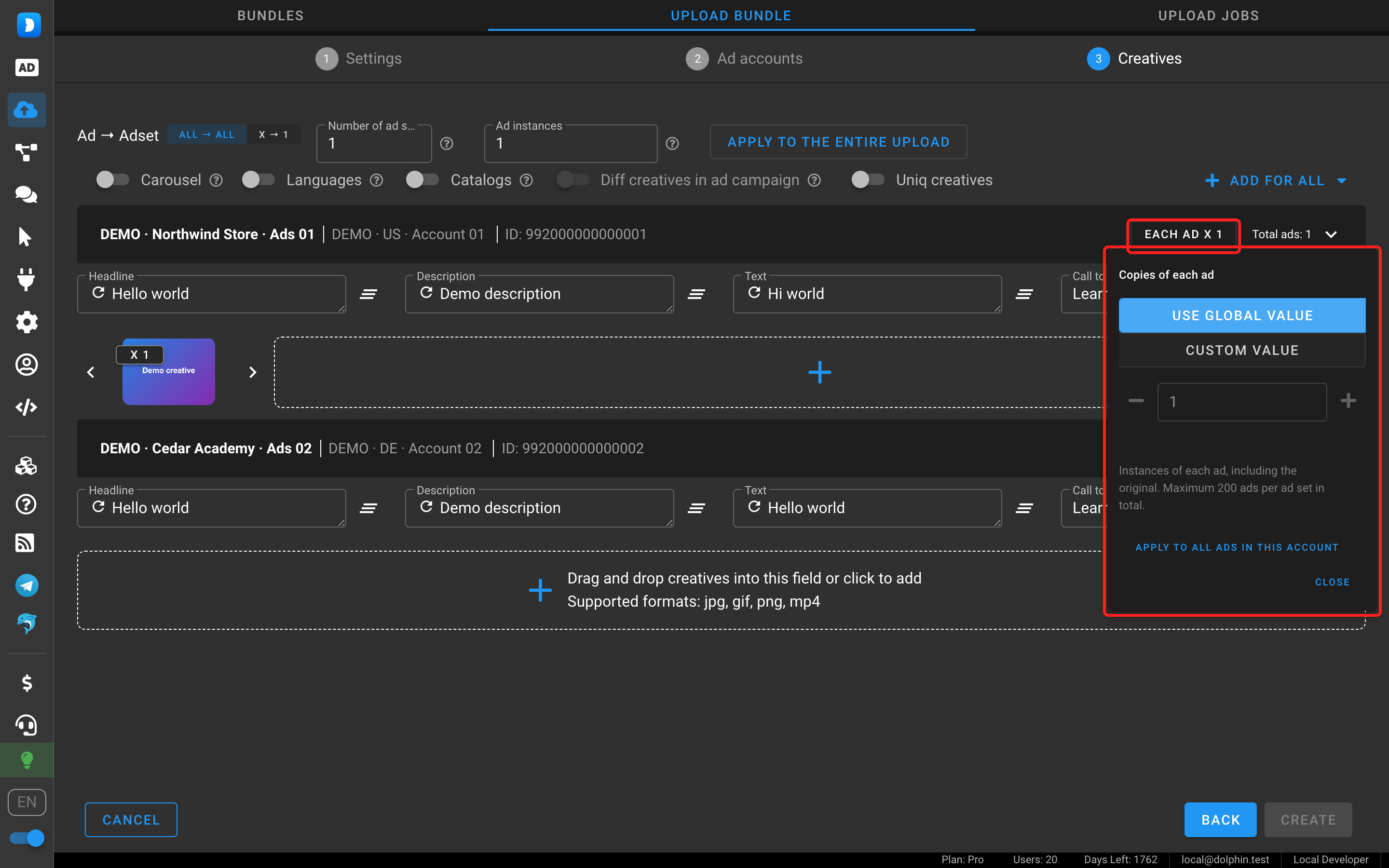
The Ad instances field creates copies of each ad inside the ad set. The number includes the original ad: 3 means the original plus 2 copies. Allowed values are 1 to 200, with no more than 200 ads per ad set in total. If you enter a number outside the range, the field is highlighted with an error and resets to 1 when you leave it.
- Apply to the entire upload: one number for all ad accounts and ads.
- The Each ad x N button opens the Copies of each ad panel. There you can pick Use global value or Custom value and set a number for a single ad account or ad. The Apply to all ads in this account button copies the number to the whole ad account.
- If the total goes over the limit, Cloud shows Check quantity and the total number of ads.
More detail, with schemes like 1-10-10: How to create ad copies inside an ad set.
🎞️ Video thumbnails
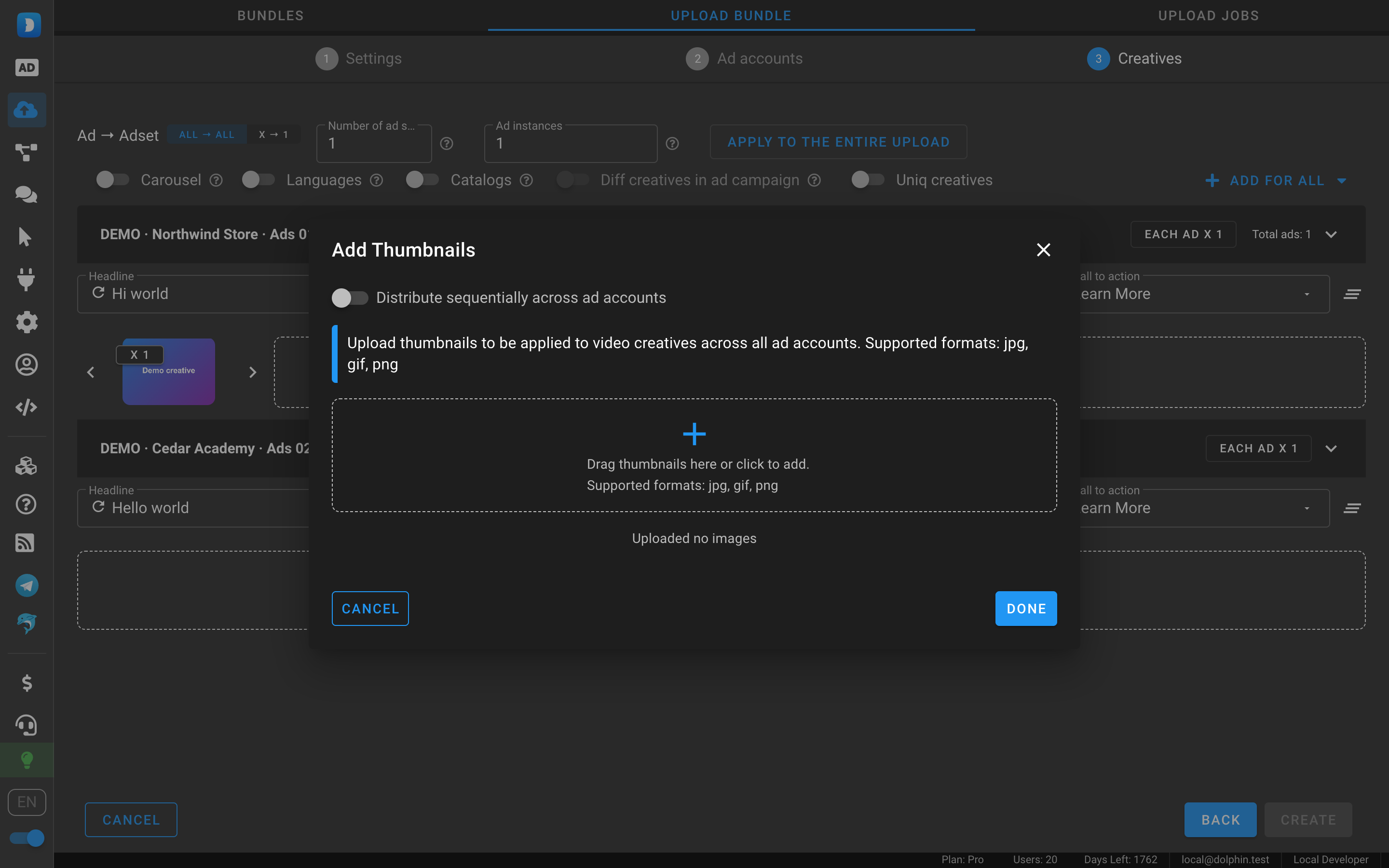
- Click Add for all → Thumbnails (preview).
- In the Add Thumbnails window, upload jpg, gif or png images.
- To hand out different thumbnails, turn on Distribute sequentially across ad accounts and set the number. If there are fewer thumbnails than needed, they repeat in a loop. Extra ones are not used.
- Click Done.
ℹ️ Where thumbnails do not work
Thumbnails apply to videos only. Bulk thumbnail assignment is not available in Flex.
🧪 Different creatives in different campaigns
The Diff creatives in ad campaign switch gives each campaign its own creatives in a single upload. Example: 5 campaigns with 1 ad set each and 5 creatives, each campaign gets its own creative.
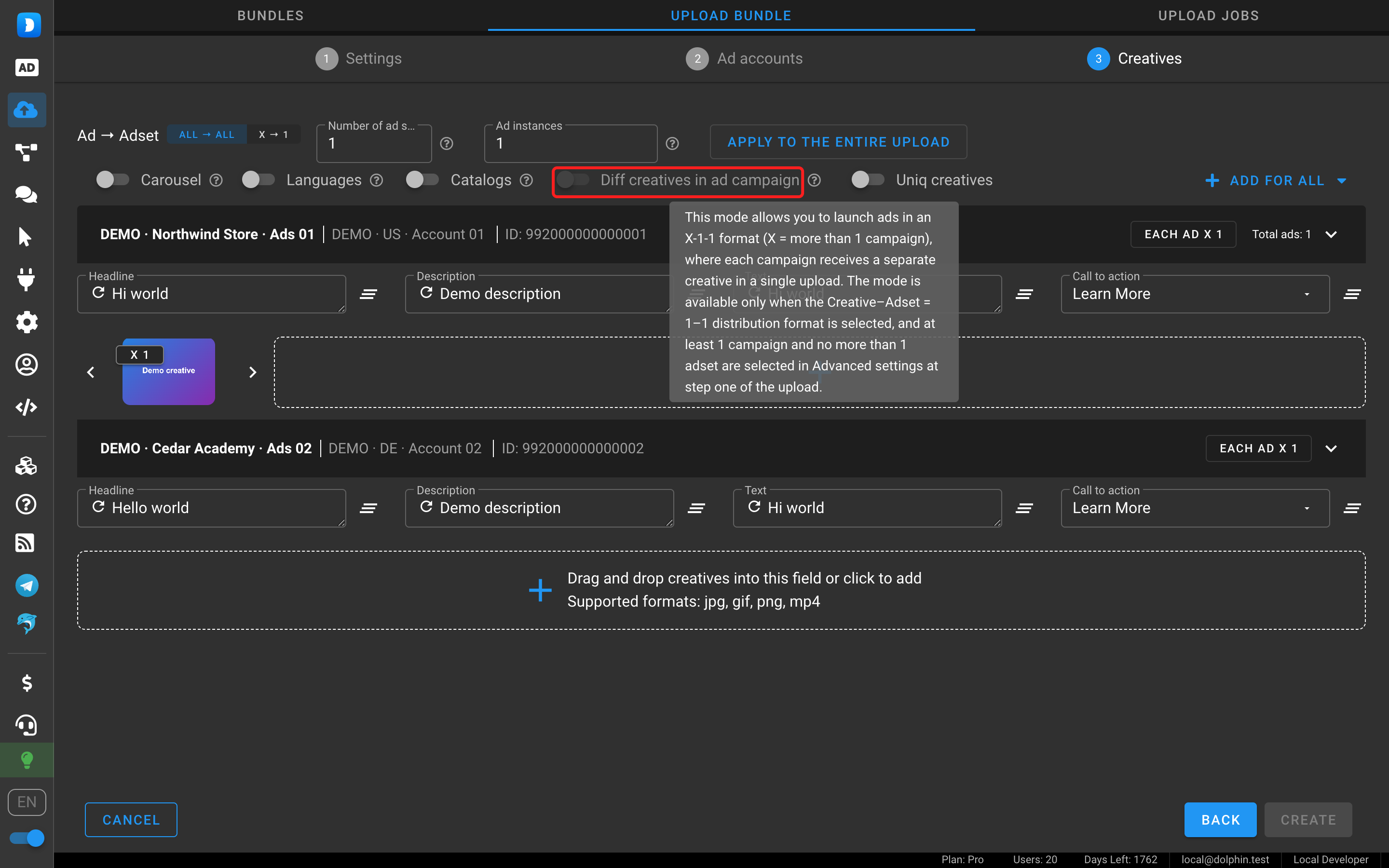
The switch turns on only if:
- the Ad → Adset scheme is selected with X = 1;
- the extended mode is set to 2 campaigns or more;
- the extended mode is set to 1 ad set;
- Carousel, Flex and Languages are off.
If a condition is not met, the switch is grey and its hint explains what to change.
🎛️ Other panel switches
| Switch | What it does | More |
|---|---|---|
| Flex | A group of up to 10 media in one ad, Facebook picks the display format itself | How to launch a Flexible ad |
| Carousel | A carousel of 2 to 10 cards with their own links and headlines | How to launch a carousel ad |
| Languages | One ad with texts and creatives in several languages | How to launch an ad in several languages |
| Catalogs | Ads for products from a Facebook catalog. For the Traffic, Leads, Sales and App installs objectives | How to launch ads on a product catalog |
| Uniq creatives | Cloud slightly changes each copy of a creative during the upload | How Dolphin {Cloud} makes creatives unique during launches |
Advantage+ creative optimizations are turned on and off in the bundle itself, on the Ads step: How to create a bundle in Dolphin {Cloud}.
⚠️ Limits
⚠️ Keep in mind
- Formats: jpg, gif, png, mp4. The list of formats is also shown in the upload window.
- One file is up to 200 MB, otherwise you see The file cannot be larger than 200 MB.
- You cannot set different creatives for Instagram and Facebook in one ad.
- Several text variants in a regular ad are set with spintax in the bundle.
- The wizard does not save a draft. If you leave the page before Create, the browser warns that unsaved creative settings will be lost.
✅ Checklist
- The scheme is selected, and the number of ad sets matches the plan.
- Every ad in every ad account has a creative.
- Videos have thumbnails, if you need your own previews.
- Instances keep you at no more than 200 ads per ad set.
- Texts and the button in the ads are checked.
❓ FAQ
Why did one creative not go into any ad set?
In the Ad → Adset scheme, extra creatives are not used. Example: 4 creatives, 3 ad sets and X = 1, the 4th is left without an ad set. Add an ad set or remove the extra creative.
Why did a creative repeat in the last ad set?
If there are fewer creatives than needed, the list starts over, and the first creative goes into the next ad set.
The Diff creatives in ad campaign switch will not turn on.
Check: the Ad → Adset scheme with X = 1, 2+ campaigns and 1 ad set in the extended mode, and Carousel, Flex and Languages are off.
Can I upload a video larger than 200 MB?
No. Compress the video or make it shorter.
🧭 What's next
- 🚀 How to upload a bundle in Dolphin {Cloud}
- 🔁 How to create ad copies inside an ad set
- 🎨 How Dolphin {Cloud} makes creatives unique during launches
- 📋 How to track uploads in the queue and restart them
🐬 Spread hundreds of creatives across ad accounts in one click. Try Dolphin {Cloud}