How to turn on Advantage+, the Messages objective and choose devices
Updated:
⚡ In short
- Advantage+ campaigns
- Advantage+ audience
- Messages objective
- Devices and operating systems
- Manual placements
In Dolphin {Cloud} bundles you can turn on Advantage+ campaigns and audience, upload ads with the Messages objective, and choose devices and placements. Each setting is described below.
🔹 Advantage+ campaigns
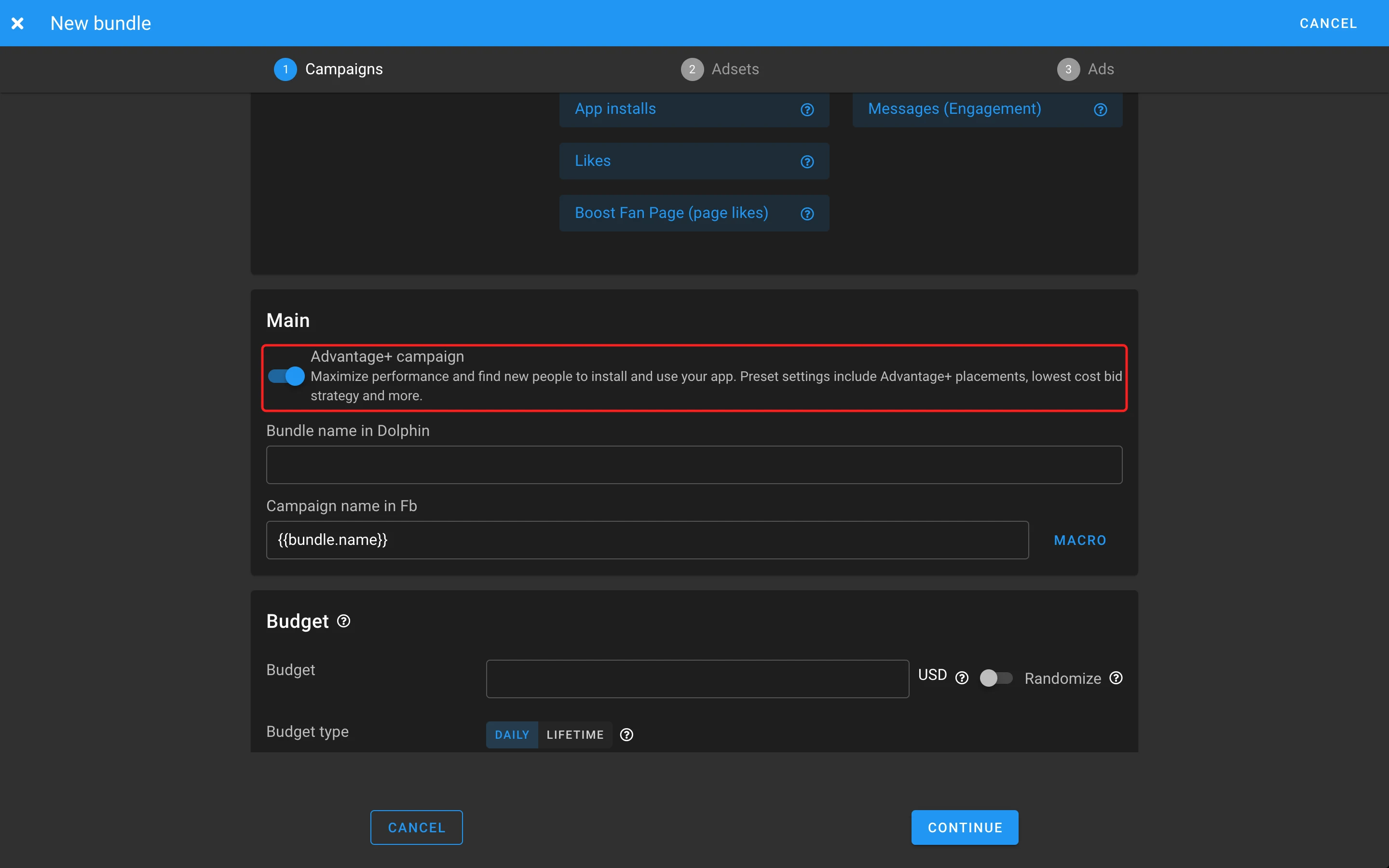
Since February 2025 the bundle's "Campaigns" step has an "Advantage+ campaign" switch (automated ads). It is available for the App installs objective. If you need another objective, contact support.
🔹 Advantage+ audience
The Advantage+ audience switch is in the bundle and works for the Sales, Leads and App installs objectives. The age from the bundle is sent to Facebook as a suggestion, and the overall range expands to 65+. To set a hard age limit, fill in the "Min age" field.
🔹 Messages objective
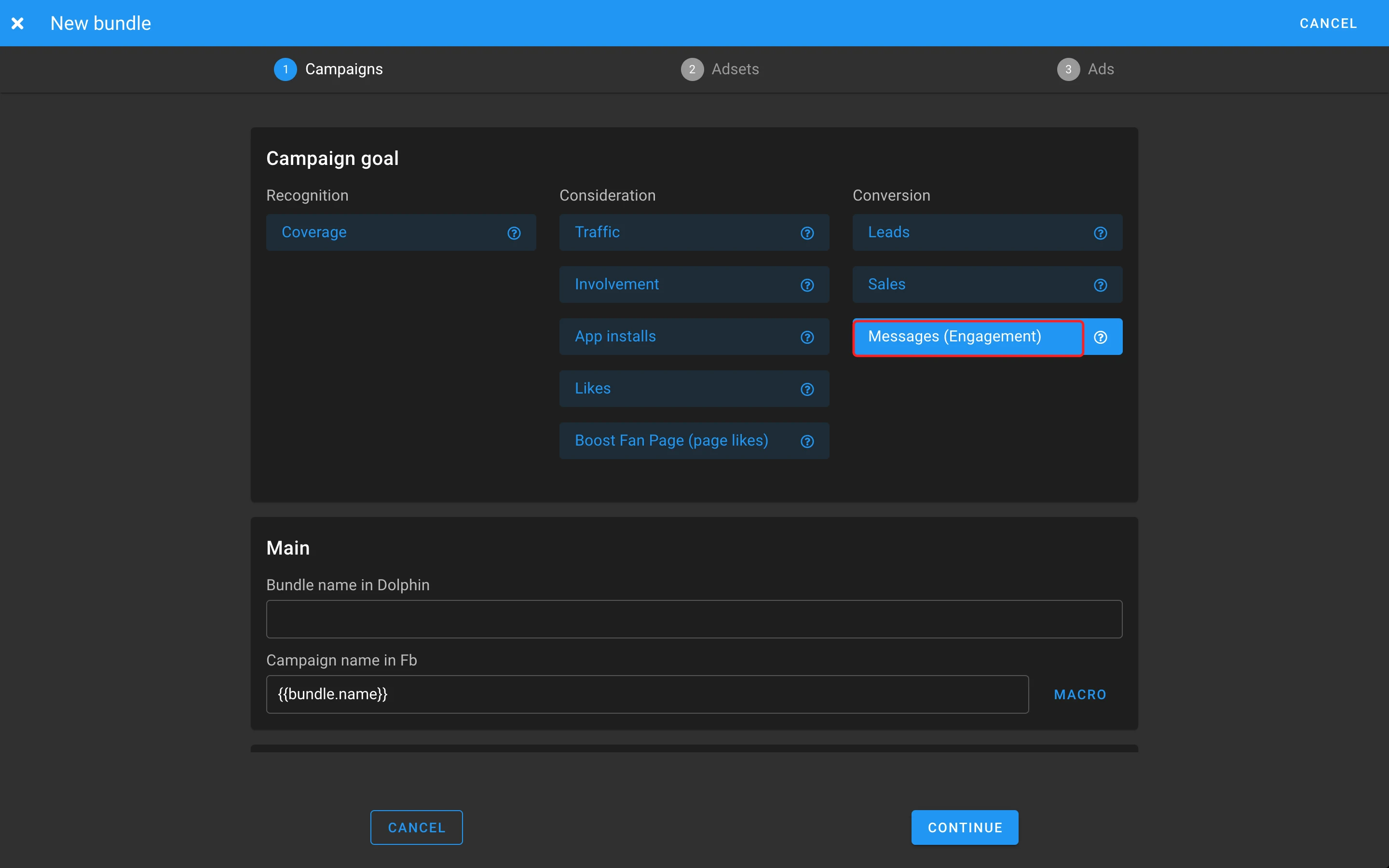
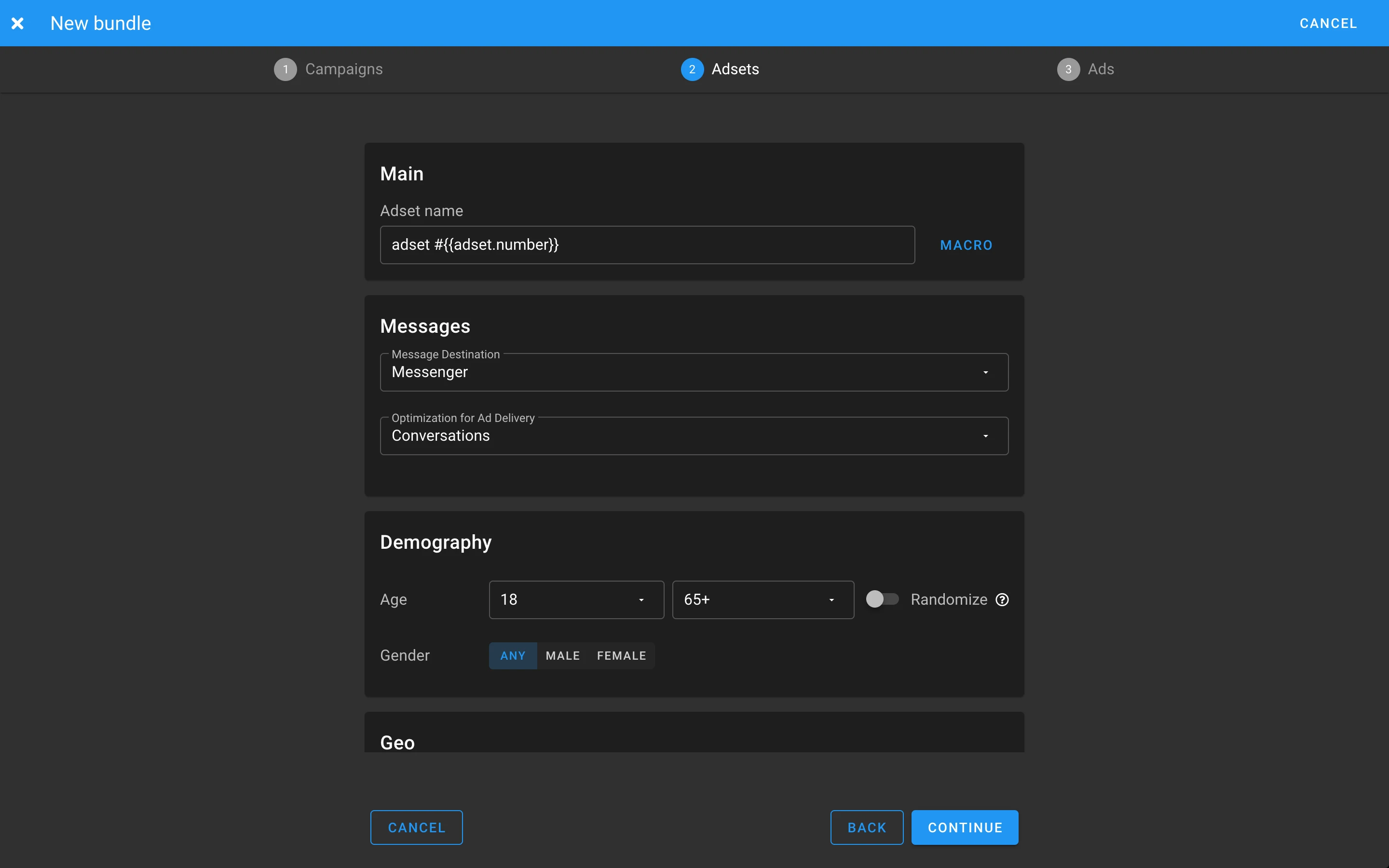
Since April 2025 you can upload campaigns with the Messages (Engagement) objective with Instagram and Facebook placements. On the "Ad sets" step choose the message destination and delivery optimization. WhatsApp is not supported.
🔹 Devices and operating systems
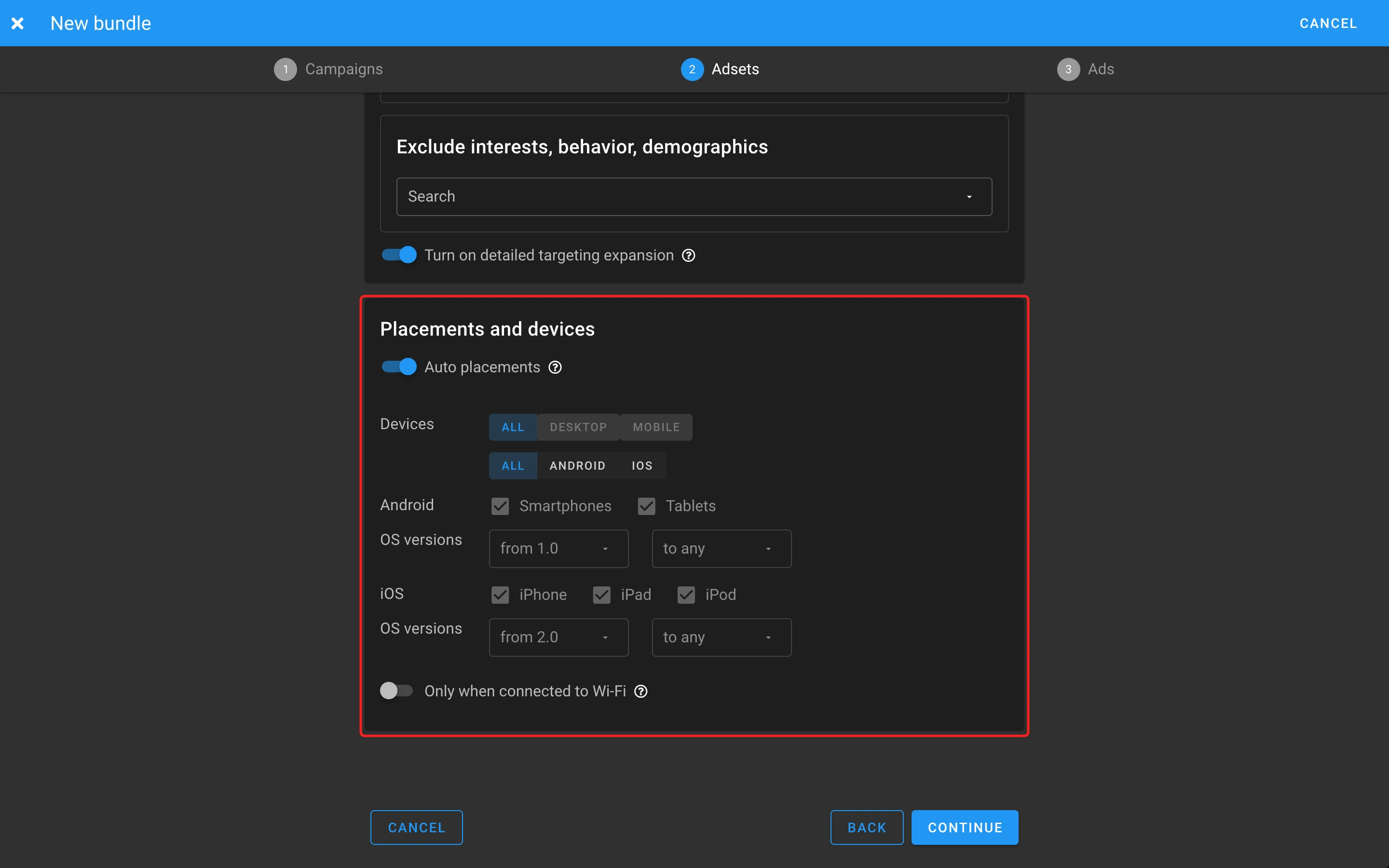
With automatic placements, the "Ad sets" step lets you choose mobile devices, desktop, operating systems and Android and iOS device models. Since January 2026, in "All devices" mode with Advantage+ on, you can pick mobile devices together with desktop, and all OS versions are selected by default.
🔹 Manual placements
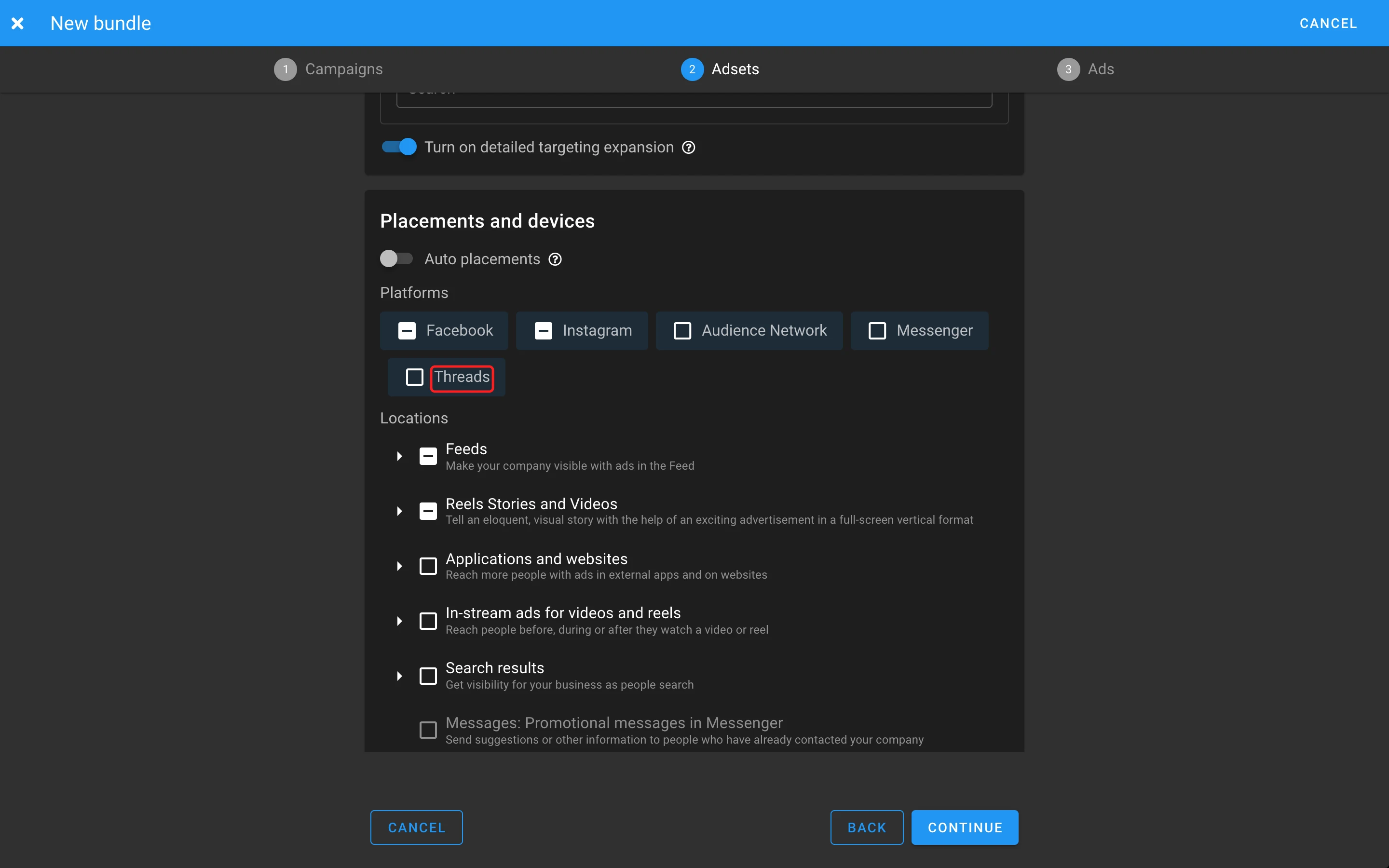
If you do not want automatic placements, pick platforms manually: Facebook, Instagram, Messenger, Audience Network and Threads.
📚 See also
🐬 New to Dolphin {Cloud}? Try it free for 3 days.