How to work with BMs in Ads Manager
Updated:
⚡ In short
- Create an ad account right in Business Manager.
- Get a BM invite link sent to the email you need in 1 click.
- Change the primary page and verify the BM email.
- Set up columns, sorting and search across BMs.
The BMs tab in Dolphin {Cloud} gathers all Business Manager actions. Here is what the interface already offers.
ℹ️ Plan
Not available on Light and Start: “Manage BM ad accounts”, “Unlink FP from BM” and “Create BM pixel”.
🏢 What you can do with a BM
Currently, the Dolphin interface offers the following features:

Creating an ad account
Creating an ad account directly in Business Manager.
🔗 Create invite links
Create invite links (to invite a social account to the BM): this feature replaces getting the link manually in Facebook.
- In Facebook: in the "People" section, click "Resend" and copy the quick invite link.
- In Dolphin: it takes 1 click, and the link is sent to the email you need.
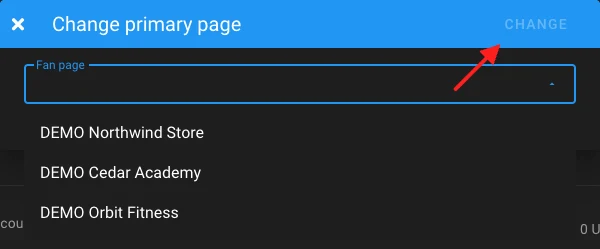
Change primary page
Change primary page of the BM.
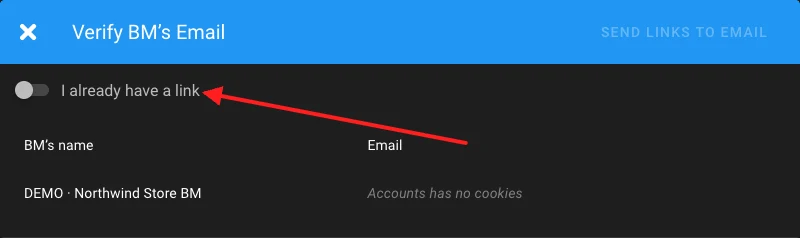
✉️ Verify BM’s Email
Verifying a company in Business Manager is needed above all to prove that the company is not fake and will not deceive users.
In online marketing, advertisers want to work with verified companies that have passed checks. Facebook protects this right, so it requires accounts to verify their companies to prevent fraud.
ℹ️ Good to know
You can verify either by email or by having a link.
💳 Attaching cards to Business Manager
You can attach cards to a BM at once instead of attaching them to each ad account separately.
- Select the BMs you need in the list.
- Open the ⋮ menu in the actions bar.
- Choose Link card to BM, paste the cards and click Attach.
Linking a card to a BM is not available on the Light and Start plans.
More about payment methods and removing cards: Attaching cards in Dolphin {Cloud}.
🧰 Other BM actions
The ⋮ menu on the “BMs” tab also has “Domain management”, “BM ad accounts management”, “Remove Fan page from BM” and “Create BM pixel”. The last three are not available on the Light and Start plans.
🛠️ Coming soon
- Creating an FP for the current BM
🔍 Extra features for easier sorting

- Columns: here you choose which metrics to display in the stats.
- Sorting stats by date: helps you navigate by dates and track metrics more accurately.
- Search by name or ID
🐬 Manage Business Managers right from the interface. Open Dolphin {Cloud}