How to get Facebook account cookies for Dolphin {Cloud}
Updated:
⚡ In short
- Dolphin {Cloud} needs cookies to work with an account and to get its token itself.
- Take cookies from the browser where the account is logged in and export them in JSON format.
- The cookies must contain a c_user entry, otherwise Cloud will not accept them.
- If your accounts live in Dolphin {Anty}, you don't have to copy cookies by hand: Cloud takes them from the profile.
Cookies keep you logged in to a Facebook account. When you paste them into Dolphin {Cloud}, the service works with the account just like your browser does and gets the token itself. Below: how to get cookies, how to check them before adding, and how to update them for an account that is already in Cloud.
🧭 When you don't need to copy cookies by hand
| Situation | What to do |
|---|---|
| Accounts are in Dolphin {Anty} profiles | Connect the integration, and Cloud will take cookies from the profile itself. See How to add Facebook accounts. |
| The account is open in a browser with the Dolphin {Cloud} extension | The extension sends the account to Cloud together with its cookies. |
| The account is connected with a system token | Cookies are not needed at all. |
| The account was bought as a line with cookies | The cookies are already in the line, you can paste them right away. |
🧰 What you need
- A browser or antidetect profile where the Facebook account is logged in.
- An extension that exports cookies in JSON format. Install it only from the official extension store and check the developer.
- The same proxy the account uses in your antidetect browser. You will set it in Cloud together with the cookies.
🍪 How to get cookies
- Open the profile where the account is logged in and wait until Facebook fully loads.
- Open these pages one by one so that all needed entries get into the cookies:
https://www.facebook.com/https://www.facebook.com/adsmanager/manage/campaignshttps://business.facebook.com/select - While on facebook.com, open the cookie extension and choose export to JSON. The cookies are copied to the clipboard.
- Paste them into a text file so you don't lose them. Correct cookies start with
[{and end with}].
⚠️ Don't log out of the account
If you click "Log out" in Facebook after exporting, the cookies stop working at once. Just close the tab or the profile.
✅ How to check cookies before adding
- It is an array of entries in square brackets. A shortened example with made-up values:
[{"domain":".facebook.com","name":"c_user","value":"100000000000000"},{"domain":".facebook.com","name":"xs","value":"12%3AAbCdEf..."}] - The cookie text contains
"name":"c_user". This is the account ID; without it Cloud will not accept the cookies. - There is an
"name":"xs"entry. It is responsible for the login itself. - The cookies open the account without a password. You can check this in a clean antidetect profile: import the cookies, set the same proxy and open facebook.com.
- The account has no block or checkpoint. If Facebook asks for a selfie or a code, pass the check in the browser first.
📥 Where to paste cookies in Cloud
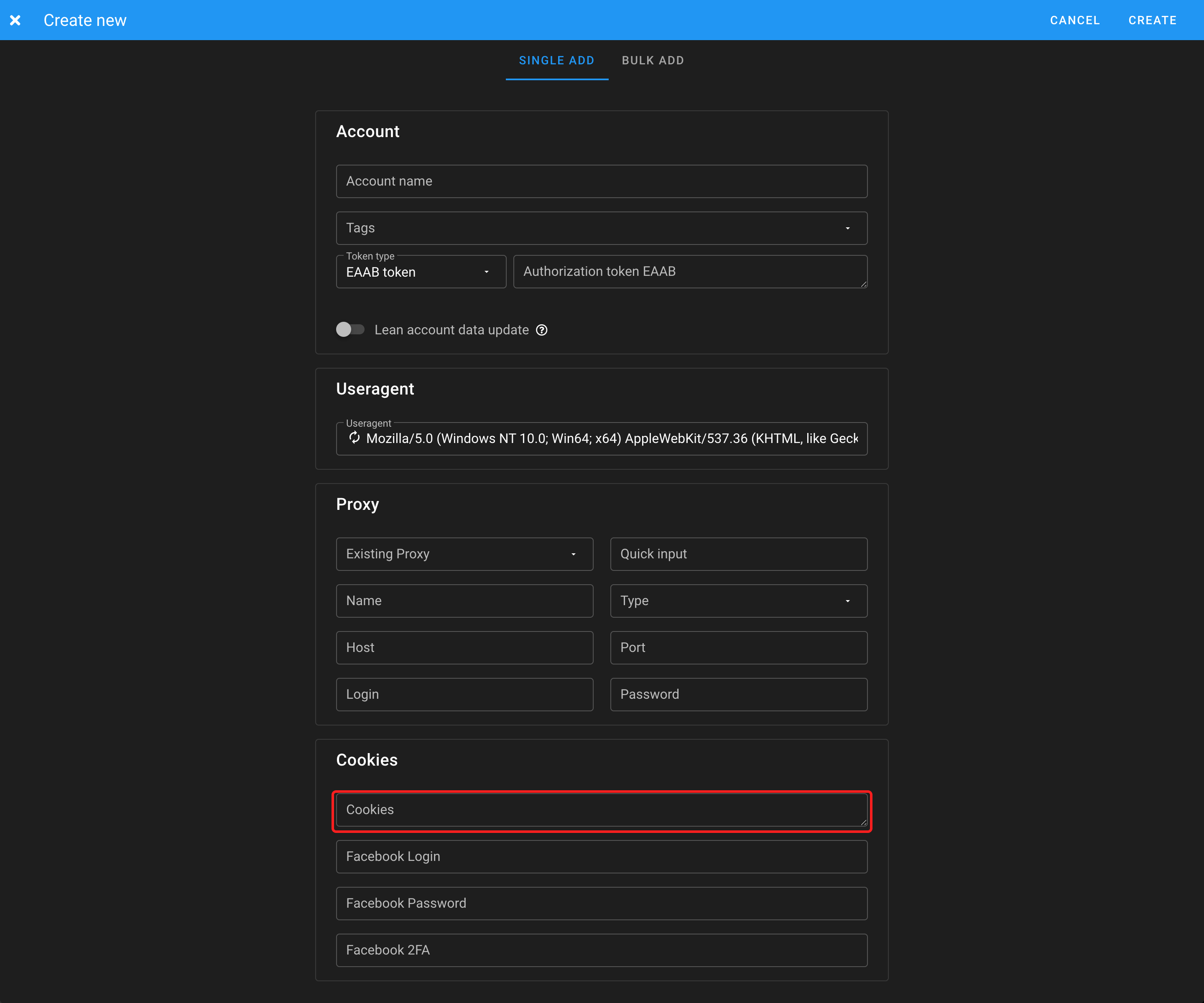
New account
- Open Ads Manager → Accounts → Add account.
- On the Single add tab, paste the cookies into the Cookies field. On the Bulk add tab, cookies go in the line after the proxy:
:: [{json cookie}] ::. - You can leave the token field empty: Cloud gets the token from the cookies.
An account that is already in Cloud
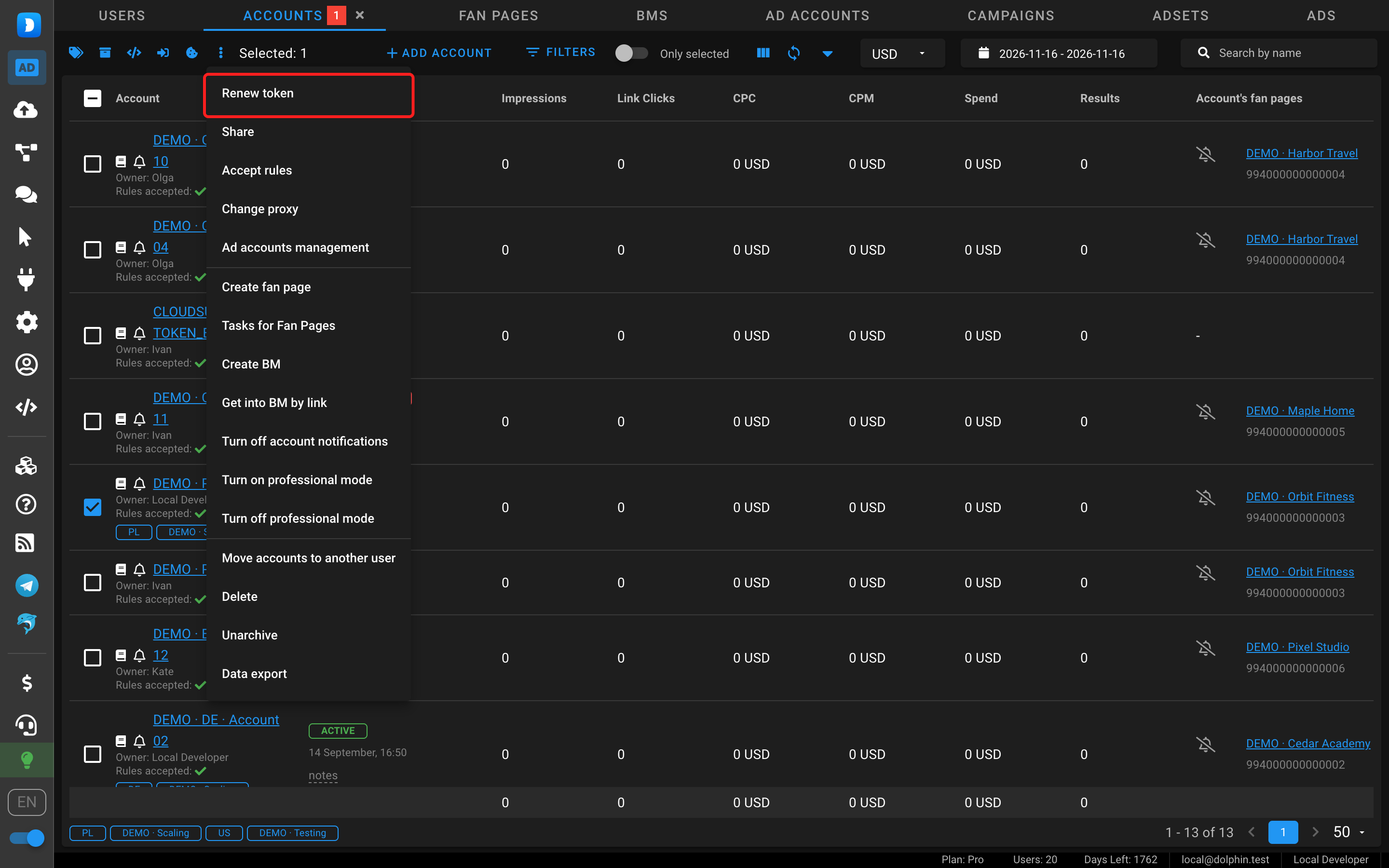
- On the Accounts tab, click the account name.
- Replace the contents of the Cookies field with fresh cookies and click Edit to save.
- Tick the account and choose ⋮ → Renew token. The status changes to NEW, and after the check to ACTIVE.
🆘 Common errors
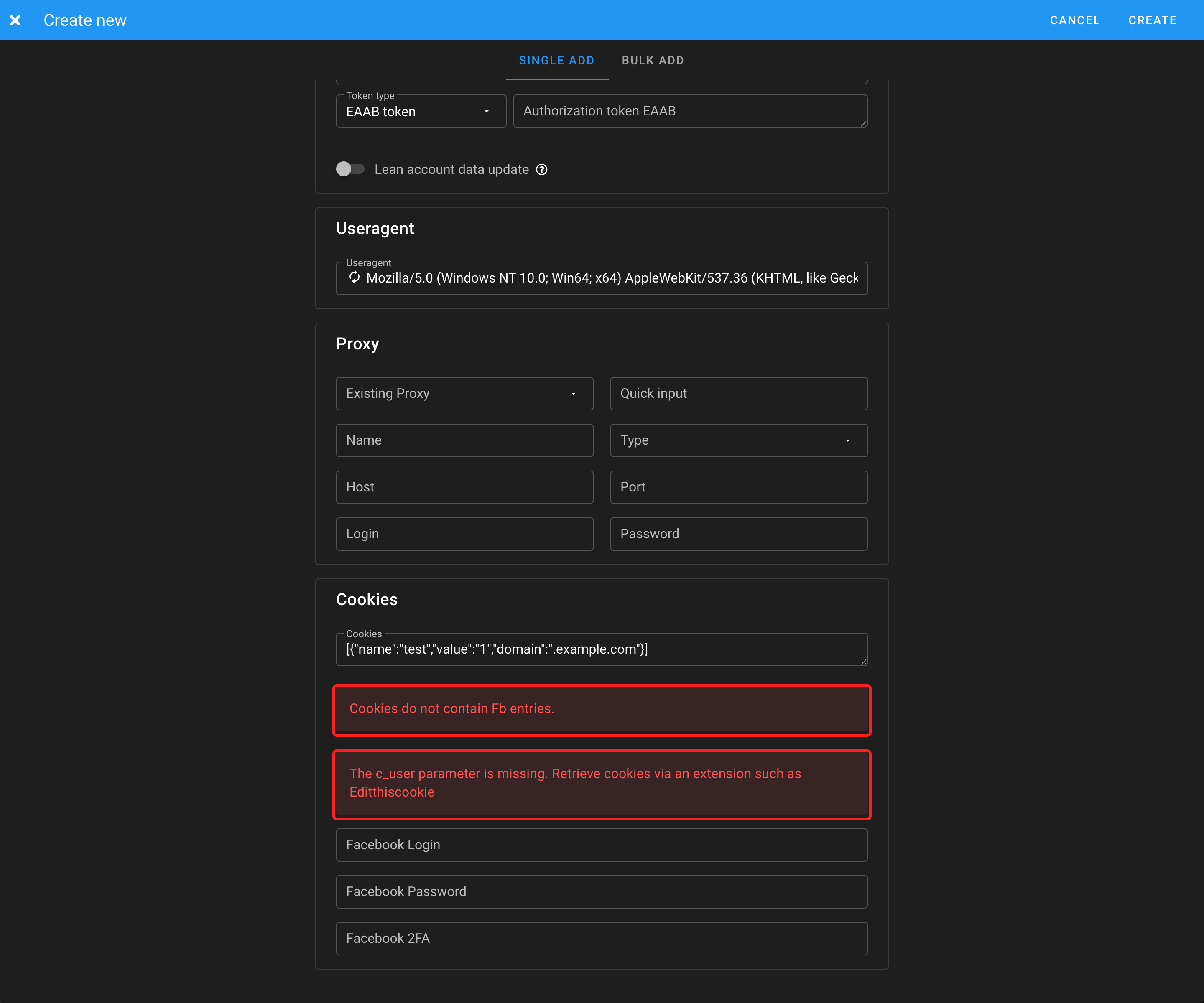
| What you see | Why | What to do |
|---|---|---|
| "Cookies do not contain Fb entries." | Cookies of another site were exported | Open facebook.com and export again |
| A message that the c_user parameter is missing | The account was not logged in during export | Log in to Facebook and take the cookies again |
| Cloud could not get the token from cookies automatically | The cookies are outdated, the account was logged out | Log in to the account and take fresh cookies |
| The "Cookies required" label on an account | The account has no cookies, but the action needs them | Paste cookies into the account card and renew the token |
| Reason LOGOUT, 2FA or NEED_VERIFICATION | Facebook logged the account out or asks for a check | Log in in the browser, pass the check, update cookies and the token |
❓ FAQ
How often do I need to update cookies?
Only when the account was logged out: the ERROR status or the LOGOUT reason appeared. To do this without copying by hand, connect Dolphin {Anty} or save the login, password and 2FA in the account.
Can I take cookies from a phone?
No. You need cookies from a desktop browser or an antidetect profile.
Do I need a token if I have cookies?
No. Cloud gets it itself. If you need to paste a token by hand, see How to get an EAAB token and a BM token.
🧭 What's next
- ➕ How to add Facebook accounts
- 🔑 How to get an EAAB token and a BM token
- 👤 How to work with accounts in Ads Manager
🐬 Cookies ready? Add the account. Go to Dolphin {Cloud}