How to get notifications in Telegram, personally or in a group
Updated:
⚡ In short
- Connect the
@alarmer_botbot to Dolphin {Cloud}. - Check the connection with a test message.
- Get notifications in a Telegram group and choose what they are about.
🤖 How to add the bot
- Add the
@alarmer_botbot in Telegram.
- Send the bot the
/startmessage.
- The bot will send you a message with an API key. Paste it into the DOLPHIN settings.
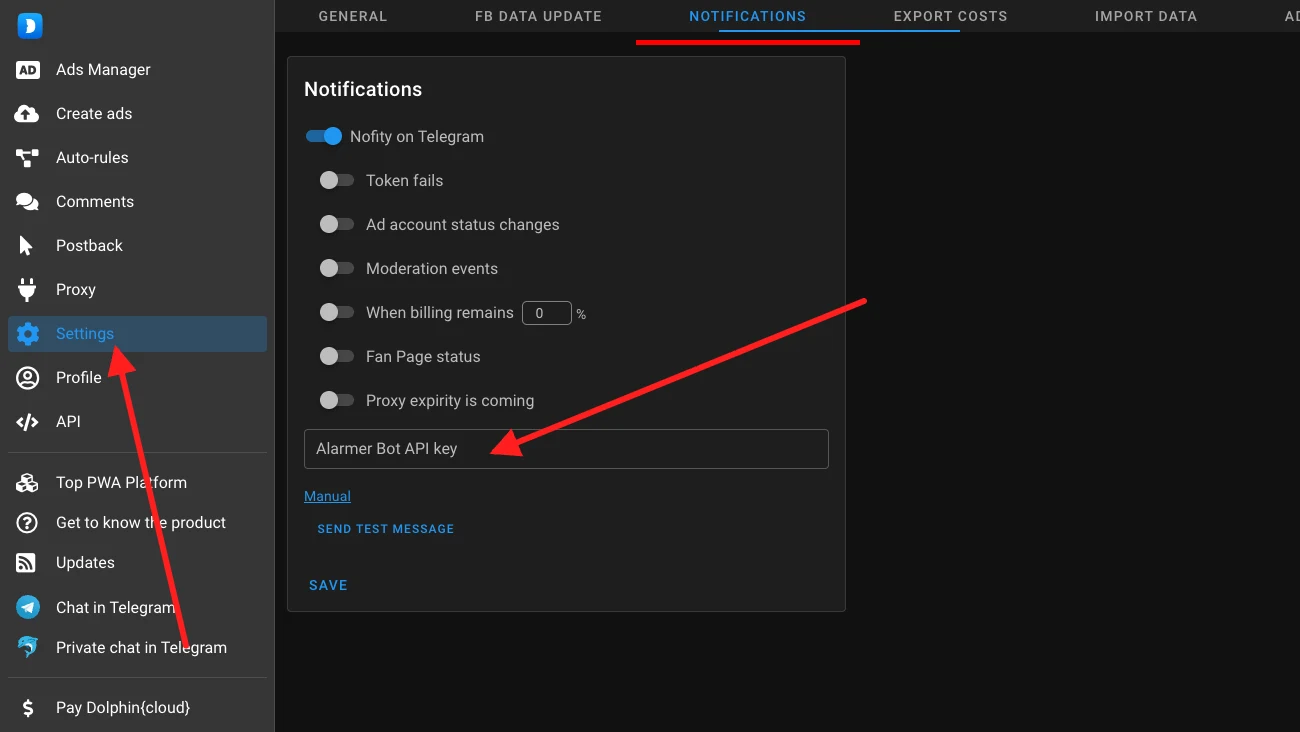
💡 Tip
Here you can also send a test message to the bot from DOLPHIN to check that the bot is connected to our software.
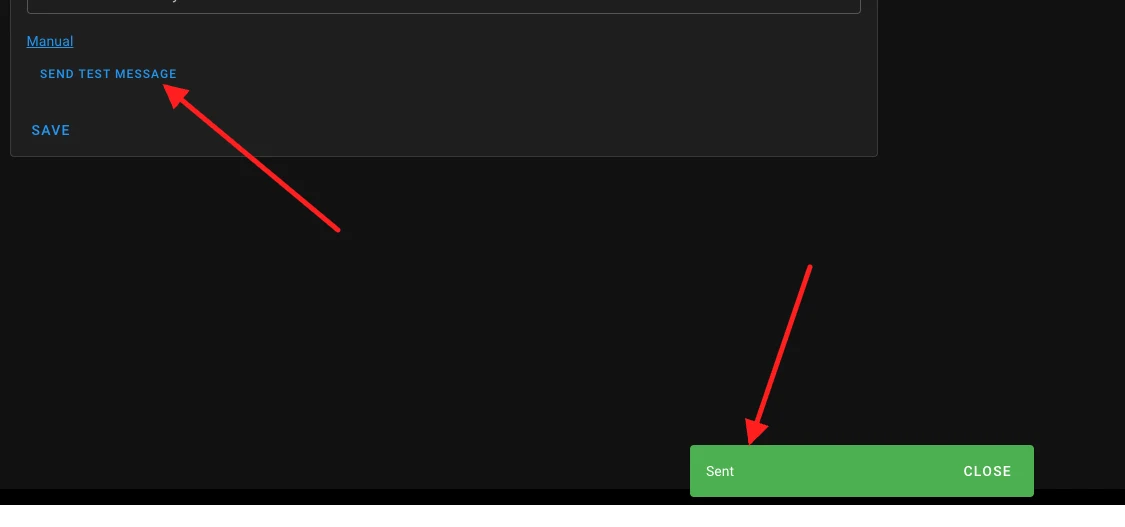

👥 How to add Alarmer Bot to a Telegram group
- Invite the bot to your Telegram group: @alarmer_bot.
- Give the bot Administrator rights.


- Send the
/keycommand in the group.
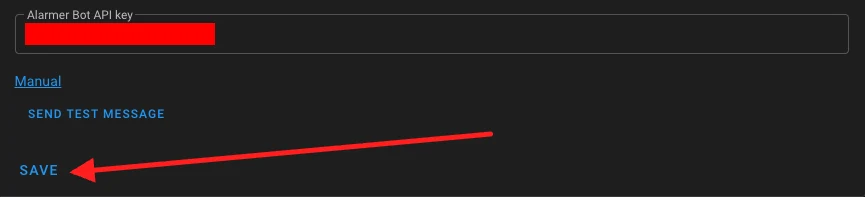
- Paste the API key sent by the bot into the Alarmer Bot API key section.

- Choose which events you want to be notified about in the Telegram group.
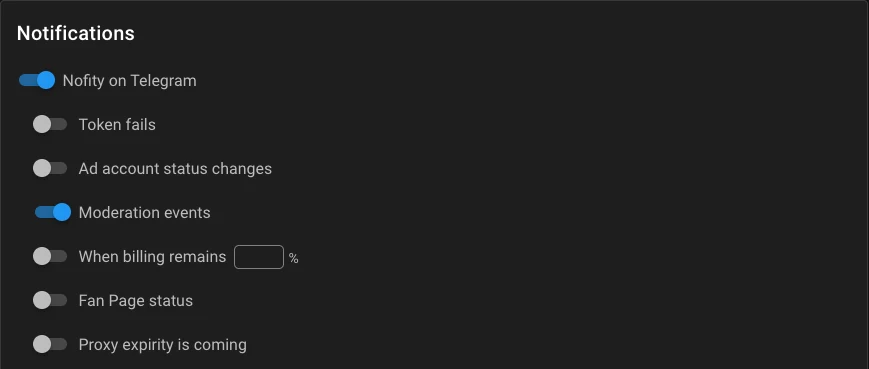
- Click save: the bot will start sending notifications to the group.
🐬 Get account events right in Telegram. Learn more about Dolphin {Cloud}